
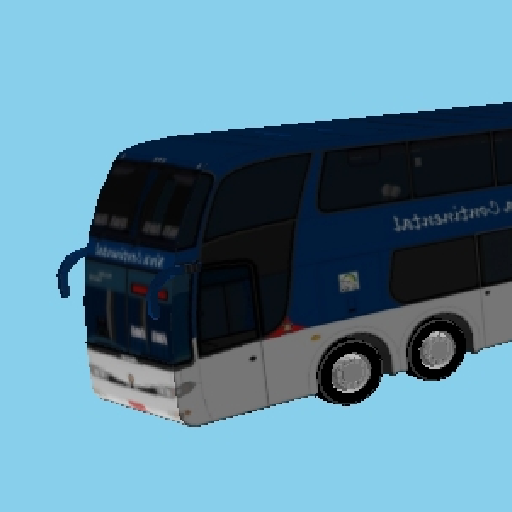
Bus City Drive Game App
Price: RM 5.00 Inclusive of 8% SST Tax
Get it in Google Play Store
Bus City Drive Game App At Google Play Store.
Hey ! Test Your Skills In The Cock Pit of a Bus !
Check out this Bus City Drive Game App at Google Play Store !
An app game where you can drive a city bus around a live city block while 3 AI buses and 6 AI cars drive around the city block. Your mission is drive the bus without colliding other vehicles and buildings.
THE GOAL OF THE GAME :
1. Pick your bus (b1–b20) from the radio row.
2. Pick your AI bus (b1–b20) from the lower radio row, and this is only for AI vehicle group 1.The other AI vehicle group, however, is preset.
3. Press NEW DRIVE.
4. Press START ENGINE, then release the BRAKE and press GAS.
5. Steer with the wheel, shift gears with the lever.
6. AI buses and cars will at the same time be driving around the city block.
7. Your mission is to avoid colliding with any AI buses and cars and city buildings. Any kind of collision will end the game.
8. Good Luck! and Enjoy The Game!
CAUTION ! :
At the same time, AI Controlled buses and cars will also be driving around the city block. Collide with them, the game is over. And if your bus collide with buildings, the game is over. So your primary mission is to drive the bus without hitting other vehicles and buildings. Check the video below.
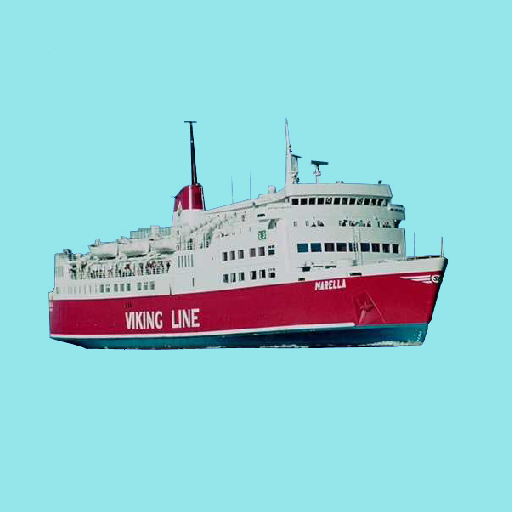
Ship Casting Off And Docking Game App
Price: RM 5.00 Inclusive of 8% SST Tax
Get it in Google Play Store
Ship Casting Off And Docking Game App At Google Play Store
Hey ! Test Your Skills In The Ship Bridge !
Check out this Ship Casting Off And Docking Game App at Google Play Store.
An app where you can steer Silja Line ship, and Viking Line ship, along side with AI Controlled ship of similar ships of User Controlled ship.
ABOUT:
"Ship Casting Off And Docking" is a maritime bridge-simulation game. You take command of a ferry at Port A, cast off, and navigate kilometres of open water using authentic bridge navigational, communication, and control instruments to reach and safely dock at other ports which are Port B, Port C, and Port D. Concurrently, there is another ship which is AI controlled that steers the ship departing from Port B and going counter clockwise to Port C, Port A, Port D, and back to Port B. The AI controlled ship will repeat this cycle of movement. Choose your vessel - Silja Line or Viking Line - and the vessel for the AI-controlled ferry that shares the harbour, then use the compass, gyrocompass, radar, ECDIS, AIS, autopilot, steering wheel, engine telegraph and throttle to bring your ship home. Dock too hard and she will break up and sink. Dock gently and you win. If you collide with AI controlled ship there will be explosion and game is over.
THE GOAL OF THE GAME:
Cast off from Port A and sail to Port B, Port C, and/or Port D. Dock gently - a hard bump breaks and sinks the ship and you lose. A gentle, controlled docking wins the game.
USER CONTROLLED / AI CONTROLLED SHIP
Use the USER CONTROLLED radio buttons to pick the ship you command, and the AI CONTROLLED radio buttons to pick the second ferry, which sails by itself (Viking Line by default). The AI ferry starts at Port B and leaves immediately. It sails counter-clockwise - Port B, Port C, Port A, Port D, back to Port B - resting 10 seconds at each port, and repeats the loop until your game ends. Keep well clear of it: if your ship collides with the AI ship, both ships explode and the game is over. If you collide with AI controlled ship there will be explosion and game is over.
CONTROLS - BRIDGE PANEL (left screen)
• Steering Wheel: drag left/right to turn the rudder. The rudder angle indicator shows current angle.
• Engine Telegraph: tap a position (Full Astern - Stop - Full Ahead) to command engine power.
• Throttle Lever: drag up/down for fine speed trim once the telegraph order is set.
• Autopilot: toggle ON and set a target heading to hold course automatically.
• Magnetic Compass / Gyrocompass: show current heading (true and magnetic).
• Radar: rotating sweep shows range rings and Port B once in range.
• ECDIS: chart plotter showing your track from Port A to Port B and your live position.
• AIS: shows your own ship target.
• GPS/Speed Log: shows position-derived speed over ground and distance remaining.
• VHF Radio: channel display for bridge communications.
• Horn: sound the ship\'s horn.
• Searchlight: toggle the searchlight for the docking approach.
• Binoculars: zoom the 3D view in for a closer look.
3D VIEW (right screen)
Shows your ship on the open ocean. Port A is visible at the start; Port B becomes visible once you are within about 400 m of it. Use Pan, Rotate, Zoom In and Zoom Out beneath the 3D view to inspect your approach.
DOCKING
Slow down well before Port B. If your speed on contact with the dock exceeds a safe limit, the hull ruptures, the ship floods and sinks (with sound effects) and the game ends in a loss. A slow, controlled contact ends the game in a win.
Press "NEW GAME / SAIL" at any time to reset and start again.
CAUTION ! :
At the same time, AI Controlled ship will be sailing nearby, beginning from Port B, Port C, Port A, Port D, back to Port B - resting 10 seconds at each port, and repeats the loop until your game ends. It will repeat doing so during game play until game is finished. If you collide with AI controlled ship there will be explosion and game is over. The users mission again is to sail, steer and dock safely without striking docking pier and AI Controlled ship.Check the video below.
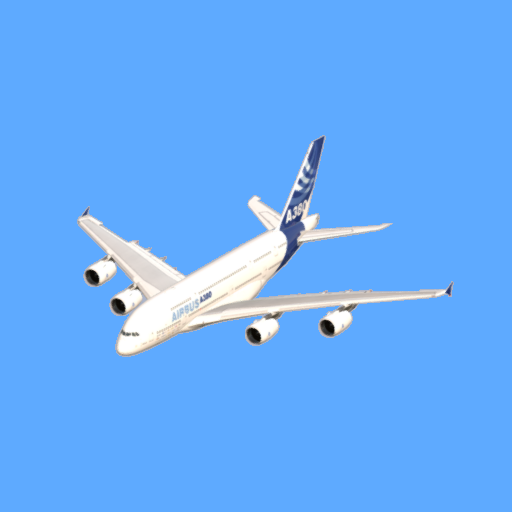
Flight Take Off And Land Game App
Price: RM 5.00 Inclusive of 8% SST Tax
Get it in Google Play Store
Flight Take Off And Land Game App At Google Play Store - Version 7 With Auto Pilot
Version 7:
This new version includes 5 following additions and improvisions:
1. Added Auto Pilot function - user can now have an option to fly using "Auto Pilot" mode once aircraft has reached beyond altitude 500ft by pressing the "Auto Pilot" button once activated. User can enter the parameters such as maximum altitude, maximum speed, and number of loops. User can fly manual mode anytime by pressing the "Auto Pilot" button again.
2. Added areal scenery comprising mountains and a lake withing the vicinity of airport area.
3. Added City Scenery which comprises city buildings, streets, complete with moving vehicles such as buses and cars.
4. Improved view of existing Airport Buildings, with parked vehicles adjacent to it.
5. Added airport High Mast Light Posts.
So! Test Your Skills In The Cock Pit !
Check out this Flight Take Off And Land Game App at Google Play Store - Version 7
An app where you can fly Airbus A380, Boeing 747, Antonov AN 124, Boeing C17 GlobeMaster, and Lockheed C5 Galaxy, along side with AI Controlled aircraft of the similar aircrafts of User Controlled aircraft.
THE GOAL OF THE GAME:
You are the Main Pilot. Complete the pre-flight checklist with your Co-Pilot, start the engines, then get clearance from the tower. Use the throttle levers to accelerate, pull the side stick back past rotate speed to lift off, raise the gear, fly the circular route using the side stick and rudder pedals, traversing around beautiful Mountainous scenery and lake, then line back up on Runway 841, lower the gear, extend flaps, and use the speed brake and brakes to stop within the runway. Or if you are lazy to fly manually, you have an option to use "Auto Pilot" once the aircraft reaches altitude 500ft. The "Auto Pilot" function will land the aircraft safely, correctly, and definitely.
GAME OVER :
The game is over:
- When user aircraft strikes ground other than runway, it crashes and explosion occurs
- When use aircraft collides with AI controlled aircraft, mid air explosion occurs
- When aircraft strikes airport buildings, airport high masts, city buildings, and vehicles, it crashes and explosion occurs
- When aircraft strikes mountains, it crashes and explosion occurs
- When aircraft lands on the lake, it sinks and disappears from sight.
YOUR MISSION:
Take off and land the aircraft safely, firstly try manually without the help of "Auto Pilot", as it is more challenging. However, if you just want to fly it easy, hit the "Auto Pilot" and sit back an relax, as it land the aircraft on the dot. Get "Flight Take Off And Land" App from Google Play Store. Cheers ! and Enjoy The Game Ya All ! Check out the video below.

Car Race Game App
Price: RM 5.00 Inclusive of 8% SST Tax
Get it in Google Play Store
Car Race Game App At Google Play Store
An app where you can race your car with an opponents car. User car will be BMW 318i latest series and AI car will Mercedes Benz C200 latest series.
Game Play:
GOAL
Race your BMW 318i against the AI-controlled Mercedes-Benz C200 over a 5 km countryside route. The first car to cross the finish line wins.
THE ROUTE
The route alternates between 1 km straight sections and 1 km curved sections — 3 km of straights and 2 km of curves (5 km total, starting and ending on a straight). You drive in the left lane, the AI drives in the right lane.
CONTROLS
• ACCELERATE (green) — press and hold to speed up.
• BRAKE (red) — press and hold to slow down / stop.
• STEERING WHEEL — touch and rotate to steer left or right, especially through curves.
• NEW GAME (blue) — resets and restarts the race from the start line.
GAUGES
• Speedometer — your current speed (km/h).
• RPM gauge — your engine\'s revolutions per minute.
• Odometer — total distance covered (km) out of 5 km.
TIPS
• Slow down before curves — carrying too much speed into a bend can cause you to skid! If you skid, ease off the accelerator and steer opposite to the skid to recover.
• Watch the AI Mercedes in the right lane — it drives faster on straights and more cautiously through curves.
• Cross the finish line at 5 km before the AI to win the race!

Snakes And Ladders Board Game App
Price: RM 5.00 Inclusive of 8% SST Tax
Get it in Google Play Store
Snakes And Ladders Board Game App At Google Play Store
Snakes and ladders is a board game app for player versus AI player as opponent. It is regarded today as a worldwide classic. The game originated in ancient India as Moksha Patam ("liberation lesson"), and was brought to the United Kingdom in the 1890s. It is played on a game board with numbered, gridded squares. A number of "ladders" and "snakes" are pictured on the board, each connecting two specific board squares. The object of the game is to navigate one's game piece, according to die rolls, from the start (bottom square) to the finish (top square), helped by climbing ladders but hindered by falling down snakes.
How To Play:
You (Blue token) play against the built-in AI opponent (Red token). Both start off the board, at position 0. Tap the "Roll Dice" button on your turn. Your token moves forward the number of squares shown on the dice, following the numbered path from square 1 up to square 100. Landing at the bottom of a LADDER instantly moves you up to the square at the top of that ladder a shortcut toward the finish. Landing on the head of a SNAKE sends you sliding down to the square at its tail a setback on your journey. You must land on square 100 with an exact roll. If your roll would take you past square 100, your turn is skipped and your token stays in place. After your turn ends, the AI opponent automatically rolls the dice and moves using the very same rules. Turns alternate between you and the AI until one token reaches exactly square 100. That player wins the game!. Tap "New Game" button at any time to reset the board and play again.Good luck, and enjoy the climb to the top!

Ice Hockey Game App
Price: RM 5.00 Inclusive of 8% SST Tax
Get it in Google Play Store
Ice Hockey Game App At Google Play Store
This app is a full implementation of the Ice Hockey Game. User play as Blue against a built-in Artificial Intelligence opponent that plays as Red. The AI evaluates the game and attacks to goal the puck. Watch the video below.
Game Play:
• You control the BLUE team (6 skaters). The AI controls the RED team (6 skaters)
• Each team defends one goal post and attacks the goal post at the opposite end of the rink — there are two goal posts in total
• Touch and drag any of your blue skaters to move them around the rink
• Skate a player into the puck to strike it with the hockey stick. The speed and direction you were moving controls how the puck
• Get the puck into the RED goal to score a point for BLUE.
• The AI automatically moves its red skaters: a goalie guards the red goal, defenders shadow the puck in their own half, and attackers chase the puck and shoot it toward your blue goal.
• Defend your own goal from the AI's attacks.
• The current score for both teams is always shown at the top of the rink. Score more goals than the AI to win!

Fighter Jets Archade Game App
Price: RM 5.00 Inclusive of 8% SST Tax
Get it in Google Play Store
Fighter Jets Archade Game App At Google Play Store
An app where you can play Fighter Jets where you shoot oncoming flying jets and you get 100 points for shooting each jet. Watch the video below.
Game Play:
1. Drag your finger left/right anywhere over the game area to steer your jet (bottom of screen).
2. Tap the round FIRE button (bottom center) to shoot.
3. Enemy jets spawn from the top (about every 1.5s, up to 3 on screen at once) and fly downward, occasionally firing back at you.
4. Destroy a jet → +100 points and an explosion animation plays.
5. Destroy 10 jets (1000 points) → You Win.
6. Get hit by an enemy bullet, or collide with an enemy jet → your jet explodes and you lose that session.
7. You get 5 sessions total (score carries over between sessions).
8. Run out of sessions before reaching 1000 points → Game Over, Opponent Wins. 9. Win or lose, a dialog offers Play Again, which resets score/sessions and restarts.

Othello(Reversi) Board Game App
Price: RM 5.00 Inclusive of 8% SST Tax
Get it in Google Play Store
Othello(Reversi) Board Game App At Google Play Store
An app where you can play Othello(Reversi) Board Game with AI(Artificial Intelligence) as an opponent. This app is a full implementation of the classic strategy board game Othello, also known as Reversi. You play as Black against a built-in Artificial Intelligence opponent that plays as White. The AI evaluates the board using positional weighting, mobility, corner control, and disc count to choose strong moves. Watch the video below.
Periodic Table Chemistry App
Price: RM 20.00 Inclusive of 8% SST Tax
Get it in Google Play Store
Periodic Table Chemistry App At Google Play Store
Periodic Table is a mobile where it tables out the list of elements via square shaped buttons in tabular manner complete with atomic number and symbol. Each element square button, when pressed will pop up a dialog that shows more detail of properties of the elements pressed. The various element properties that are shown includes: Atomic Number, Symbol, Name, Group/Family, Period(Row), Period(Column), Atomic Mass, Electron Configuration, Phase(room temperature), Melting Point, Boiling Point, Density, and Description. See the video below.
Checkers Board Game App
Price: RM 5.00 Inclusive of 8% SST Tax
Get it in Google Play Store
Checkers Board Game App At Google Play Store
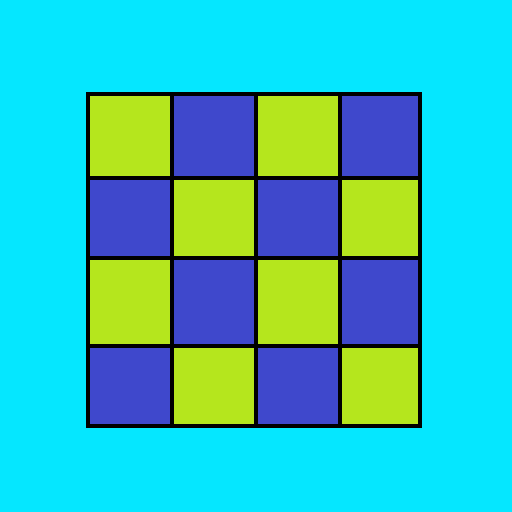
A Checkers Board Game App between human player versus AI player on a checkers board, where the goal is to capture all opponent items. The app has sound effects for enjoyable game experience. So purchase it at Google Play Store and enjoy the Checkers Board Game. See the video below.
Billiard 8 Ball Game App
Price: RM 5.00 Inclusive of 8% SST Tax
Get it in Google Play Store
Billiard 8 Ball Game App At Google Play Store
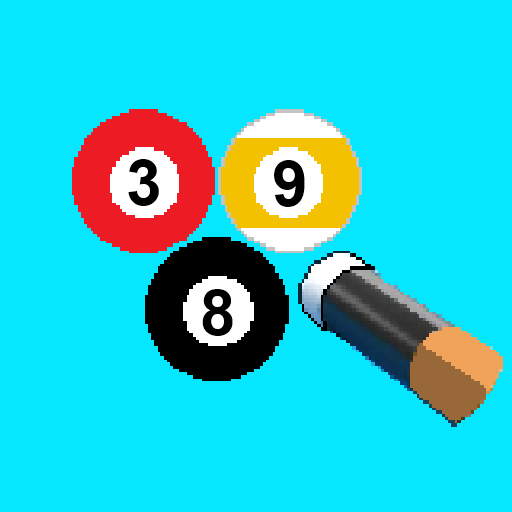
A Billiard 8 Ball Game App between human player versus AI player on a billiard table, where the goal is to legally pocket all of your assigned group of balls (solids or stripes) and then sink the 8-ball to win the game. The app has sound effects for enjoyable game experience. So purchase it at Google Play Store and enjoy the Billiard 8 Ball Game. See videos below.

Chess App - Version 3
Price: RM 5.00 Inclusive of 8% SST Tax
Get it in Google Play Store
Chess App At Google Play Store - Version 3 :
An app where you can play Chess Game with Chess AI(Artificial Intelligence) as an opponent. Version 3 include improvements on visual representation of both Chess AI and Human animation moves, castling animation moves, sound effects of movements, implemented for both portrait and landscape phone orientation to elevate user interface experience. So purchase it at Google Play Store and enjoy the Chess Game. See video below.
Machine Foundation Design App
Price: RM 74.99 Inclusive of 8% SST Tax
Get it in Google Play Store
Machine Foundation Design App:
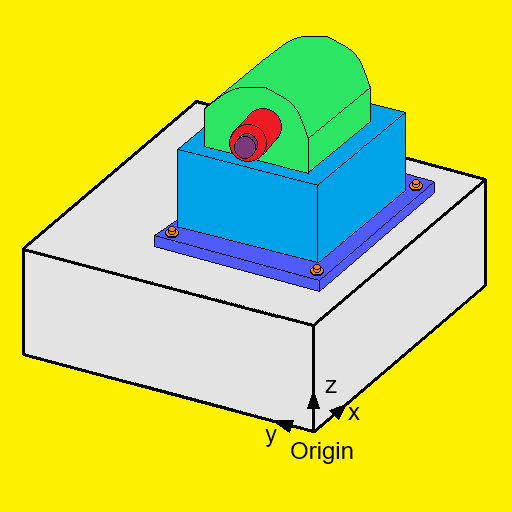
An app for engineers to design machine foundation based on input of foundation dimensions, machine parameters such as weight of machine, revolutions per minute, vertical dynamic forces, exciting forces, exciting moments, and soil geological parameters. Vibration analysis is carried out which includes determination of natural frequencies of rocking about y and x axis. For this, the soil spring stiffness are also derived. The app also calculates the horizontal translations in x and y directions, and vertical translations in z direction. In addition, the angular amplitude displacements are also calculated for rocking about y and x axis. The design of machine foundation is based on the assumption that there is one machine only in one isolated rectangular concrete foundation, and that there is no yawing or torsional about z axis. Hence the app does not carry out vibration analysis and calculations for yawing or torsional about z axis, and the app also does not carry strength analysis and design of the concrete machine foundation. See video below.
Bridge Bearing Design App
Price: RM 64.99 Inclusive of 8% SST Tax
Get it in Google Play Store
Bridge Bearing Design App:
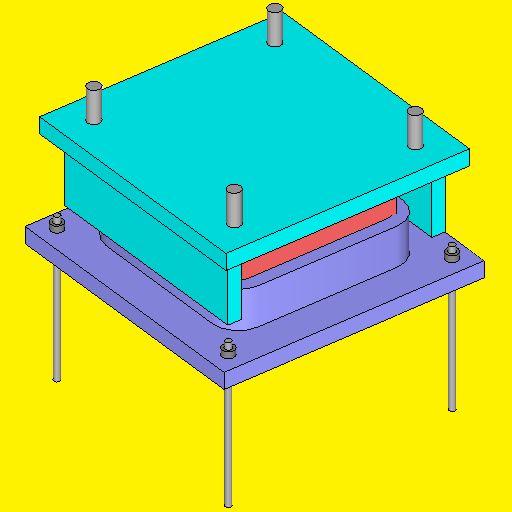
An app for engineers to design bridge bearings based on input of loadings, rotations across the length, rotations across the width, longitudinal displacements, transverse displacements, and specifications and parameters of the bridge bearings. The app have capabilities for designing two types of bearings namely steel reinforced elastomeric bearing and pot bearing. See video below.
Prestressed Bridge Beams App
Price: RM 74.99 Inclusive of 8% SST Tax
Get it in Google Play Store
Prestressed Bridge Beams App:
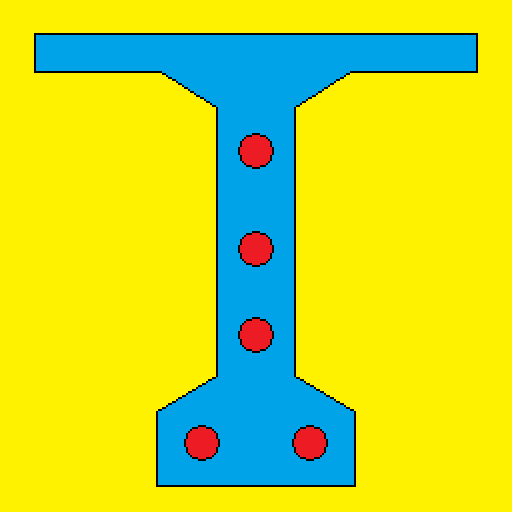
An app for engineers to determine bridge stresses for post-tensioned T beams and for pre-tensioned M beams. Stresses are calculated at two stages namely, at stage 1 transfer stage of only the precast beams simply supported non-composite and stage 2 with service loads of continuous composite section of precast beam and slab. Calculation of stresses are based on British Standard 5400 Part 4 : 1990 Steel, concrete and composite bridges Part 4: Code of practice for design of concrete bridges. See video below.
Pipe Stresses App
Price: RM 54.99 Inclusive of 8% SST Tax
Get it in Google Play Store
Pipe Stresses App:
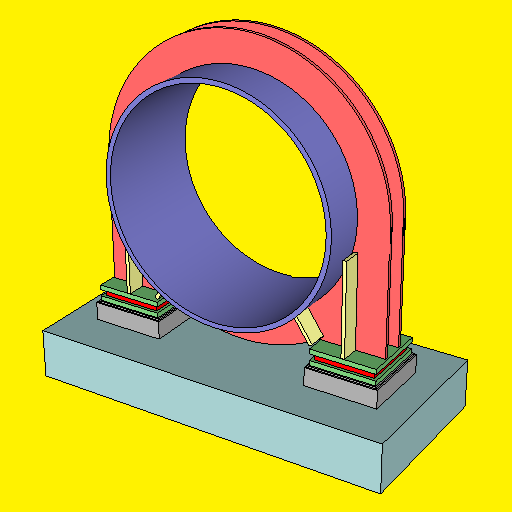
An app for engineers to determine steel pipe stresses at supports and midspans. At supports, steel pipe stresses are calculated based on ring girder supports. The calculations are based on the "American Water Works Association (AWWA) - Manual M11 Fourth Edition - Steel Pipe : A Guide For Design And Installation". Steel pipe stresses can be calculated for various conditions such as pipe empty or pipe full, and with or without water hammer, and at various pipe locations around it based on Figure 7.6 -Stiffener Ring Coefficients of Chapter 7 of the "American Water Works Association (AWWA) - Manual M11 Fourth Edition - Steel Pipe : A Guide For Design And Installation". See video below.
Hydro Calculator App
Price: RM 75.99 Inclusive of 8% SST Tax
Get it in Google Play Store
Hydro Calculator App:
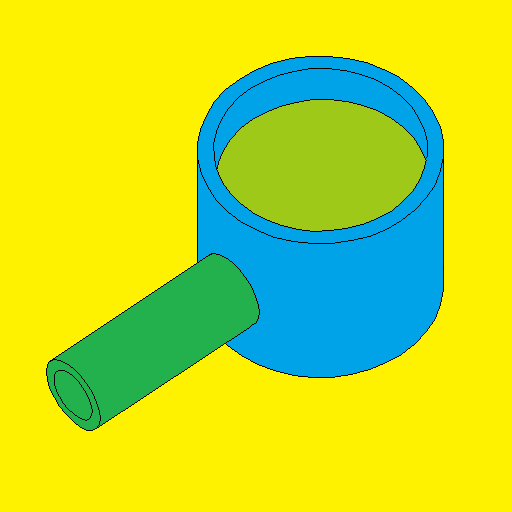
An app for engineers to carry out hydro calculation of pipe and channel flow, pipe bend forces, radial gate forces, hydraulic jump, and peak runoff due to rainfall. For pipe flow there are available functions that comprise pipe with pump, and pipe with turbine. The cases involved include slope down pipes, and slope up pipes. Pipe entrance include from top and from bottom reservoir.
Steel Connection Design App
Price: RM 75.99 Inclusive of 8% SST Tax
Get it in Google Play Store
Steel Connection Design App:
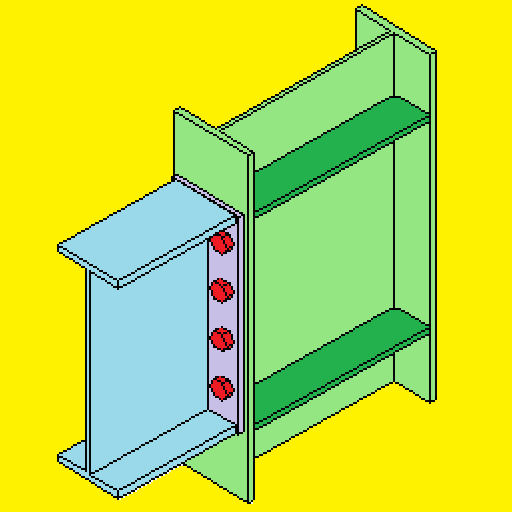
An app for engineers to design steel connections encompassing fixed, pinned, base plate, and cladding support connections. The fixed connection comprises two types, one without haunch and another with haunch. And this fixed connection is for universal beam to universal column flange connection. The pinned connection can be designed either with one shear plate or two shear plate. A maximum of two bolt columns can be included. The base plate connections is applicable for I, C, T, Circular Hollow Sections, and Rectangular Hollow Sections. The cladding support connections involves designing the connection cleats and bolts for both purlin and flange brace connections.

4 Stroke Engine App
Price: RM 64.99 Inclusive of 8% SST Tax
Get it in Google Play Store
4 Stroke Engine App:
This is an android app for design of 4 Stroke Engine, encompassing piston design, and determination of all other pertinent engine parameters such as: Piston bore diameter, Piston stroke, Piston bore area, Engine displacement, Pressure in cylinder at intake ( Stroke 1 ), Pressure in cylinder at compression ( Stroke 2 ), Pressure in cylinder at ignition(fuel injection for diesel) ( Stroke 3 ), Pressure in cylinder at combustion ( Stroke 4 ), Piston dimensions, Piston ring configurations and dimensions, Piston head stresses, Brake power (B.P.), Brake mean effective pressure (B.M.E.P.), Indicated power (I.P.), Indicated mean effective pressure (I.M.E.P.), Friction mean effective pressure (F.M.E.P.), Mechanical efficiency, Indicated thermal efficiency (I.T.E.), Brake thermal efficiency (B.T.E.), Compression ratio r, Air standard efficiency (A.S.E.), Relative efficiency η on the basis of I.P. or I.T.E., Relative efficiency η on the basis of B.P. or B.T.E., Brake specific fuel consumption (B.S.F.C.), Indicated specific fuel consumption (I.S.F.C.), and Volumetric efficiency ηVol. See video below for further details.

Cross Section Properties App
Price: RM 53.99 Inclusive of 8% SST Tax
Get it in Google Play Store
Cross Section Properties App:
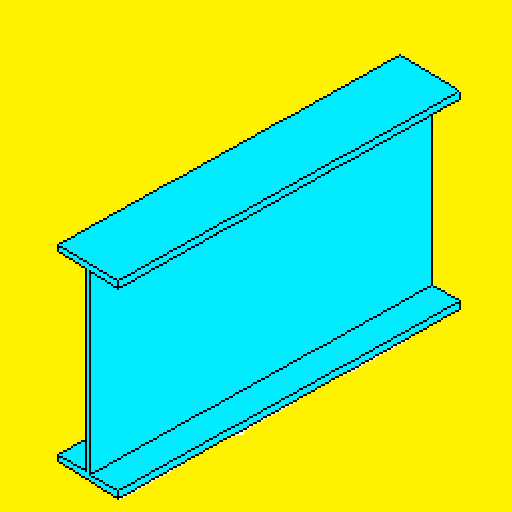
An App to calculate section properties of various sections such as I Section, C Channel Section, Rectangular/Square Hollow Section, and Circular Hollow Section. If you just need to make some quick check on some section properties to ascertain strengths of some structure members, this app enables engineers to calculate section properties on the spot, and enables engineers to make quick decisions whether the member size is ok or needs to be changed. See snapshots and videos below.
Steel Design App
Price: RM 69.99 Inclusive of 8% SST Tax
Get it in Google Play Store
Steel Design App:
An App to determine steel resistances/capacities for I, C, RHS, and CHS profile sections to BS5950 and EN 1993. A useful and handy tool for Engineers on the Go. If you are at site or a meeting and you just need to make some quick calculation check on strengths of members, this app enables engineers to determine, section properties, section classification, and member strengths on the spot as you have several built-in profiles and more importantly custom profiles for manual input, and enables engineers to make quick decisions whether the member size is ok or needs to be revised, especially if you’re in a project where design keeps on being revised to meet clients requirements or for other reasons such as site constraints, material availability, and etc. Check out the video and snapshots of app below.
Beam And Portal Frame Analysis App
Price: RM 58.99 Inclusive of 8% SST Tax
Get it in Google Play Store
Beam And Portal Frame Analysis App:
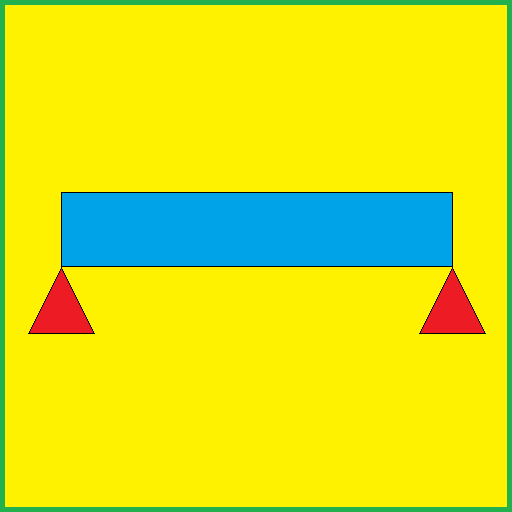
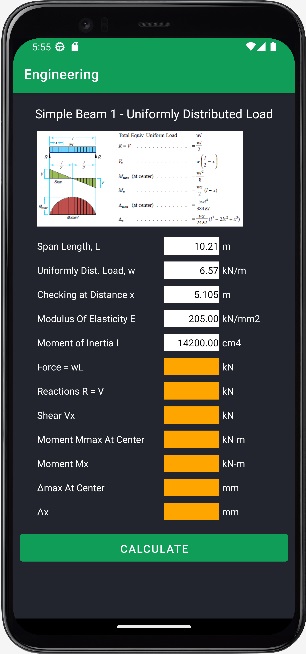
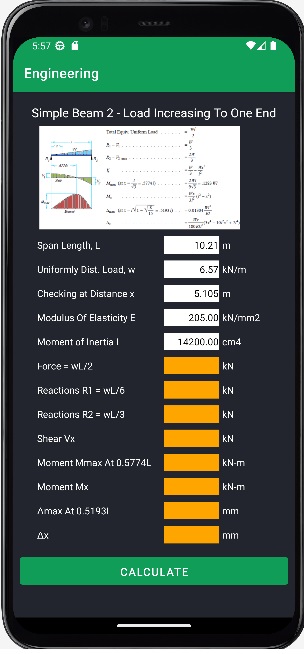
An App to carry out analysis of beams and portal frames. As an example, for calculating forces in a beam, parameters such as loads, beam span length, modulus of elasticity E, moment of inertia I, and distances are input. The forces such as reactions, shear, bending moment, and deflection are then calculated and shown as output. These forces can be calculated at specific location along the beam by specifying the distance x. Similarly, for portal frames parameters such as loads, frame width, eave height, rafter height, roof slope, and moment of inertia of members are input. The forces such as reactions, shear, and bending moment are then calculated and shown as output. Calculation is executed by pressing the Calculate button. A very useful and handy tool for Engineers to carry out calculations to determine forces in beams and portal frames. Check out the video and snapshots of app below.

Shop Online Nicheteck App
Price: Free App
Get it in Google Play Store
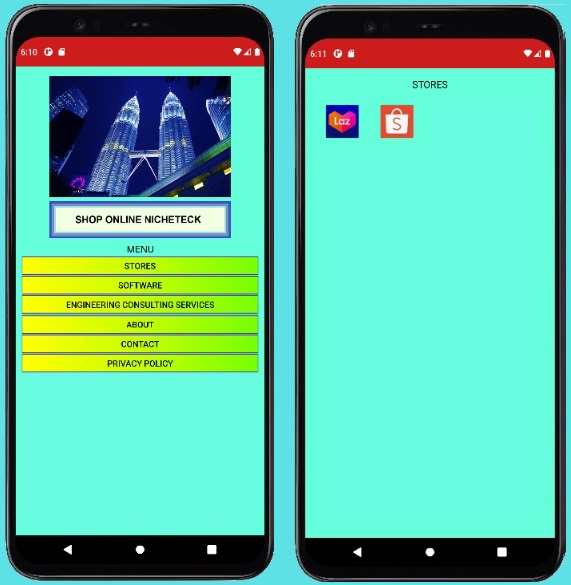
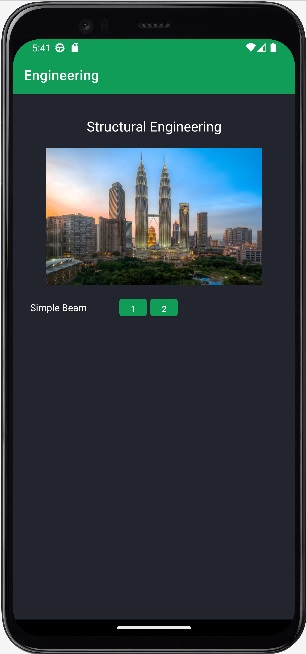
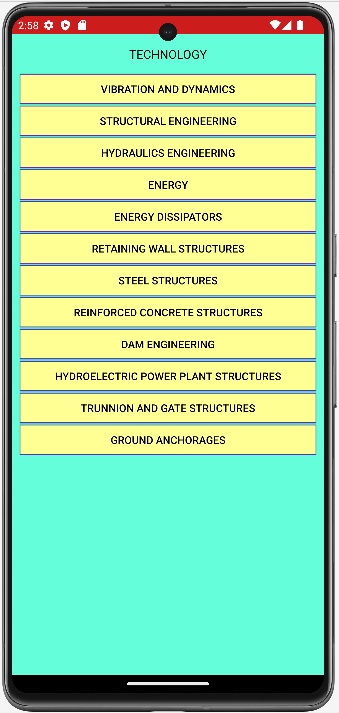
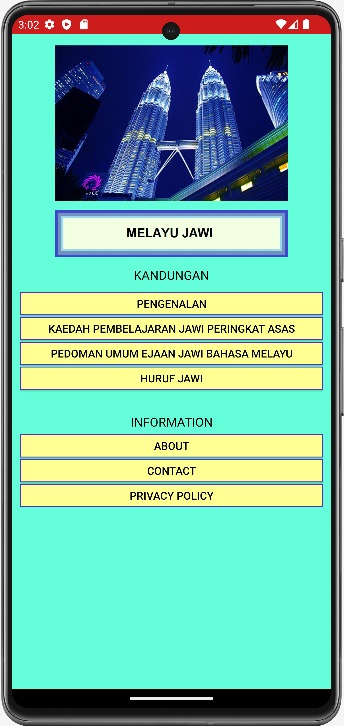
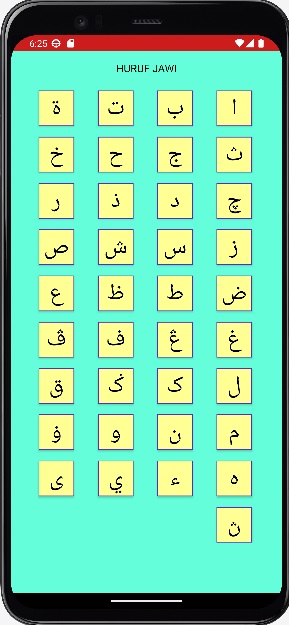
I have also developed other apps and they are available in Google Play Store for download. These apps are Engineering, Engineering Technology and Melayu Jawi and they are free apps. The App icons representation are as shown below, and the snapshots of the apps are also shown below them.
Engineering App
Price: Free App
So Start doing some simple beam design on your phone! Get it in Google Play Store
Get it in Google Play Store

Engineering Technology App
Price: Free App
So Browse and learn the various engineering technology! Get it in Google Play Store
Get it in Google Play Store


Melayu Jawi App
Price: Free App
So Download the app and learn Melayu Jawi! Get in Google Play Store
Get it in Google Play Store


Great Mobile Apps you have developed.